Import Calls from Other Tools
If you're switching to Qubi from another conversation intelligence platform, you can bring your historical call data with you.
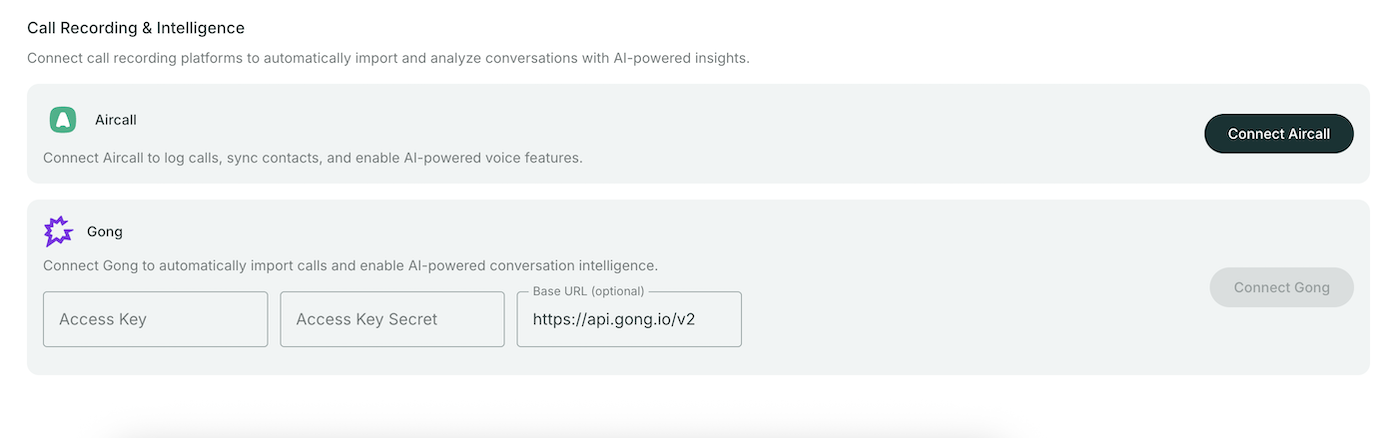
Import from Aircall
If your team uses Aircall for phone calls:
- Go to Settings > Integrations
- Click Connect next to Aircall
- Authorize the connection
- Your Aircall recordings will be imported and processed by Qubi
Import from Gong
To migrate your existing Gong call library:
- Go to Settings > Integrations
- Under Gong, enter your:
- Access Key
- Secret
- Base URL
- Click Connect
- Your Gong calls will be imported into Qubi
Import call transcripts to your Knowledge Base
You can also add individual call transcripts to your Knowledge Base so Qubi can reference them when answering questions or providing live coaching:
- Open any call from the Conversations page
- Open the actions menu (three dots)
- Select Import to Knowledge Space
- Choose which Knowledge Space to add it to
- Select the participant to use as the source of truth
- Click Import
This is useful for preserving important calls as reference material for your team.