Call Provider Integrations
Beyond meeting platforms (Zoom, Meet, Teams), Qubi integrates with phone call providers and other conversation intelligence tools to bring all your conversations into one place.
Connect Aircall
Record and analyze phone calls from Aircall:
- Go to Settings > Integrations
- Click Connect next to Aircall
- Authorize the connection
- Aircall calls will automatically appear in your Conversations library
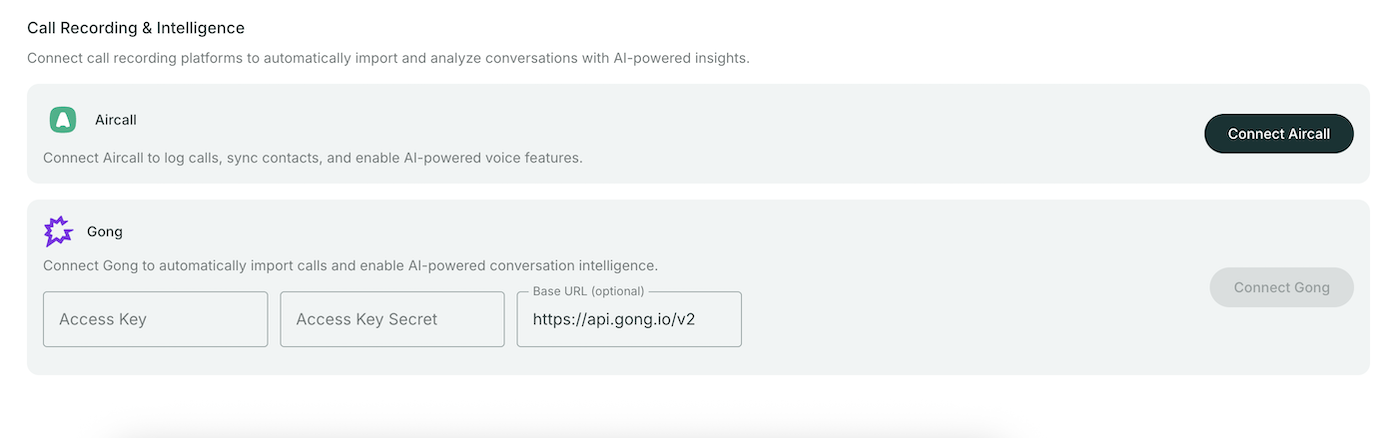
Import from Gong
Migrate your call history from Gong:
- Go to Settings > Integrations
- Under Gong, enter your credentials:
- Access Key
- Secret
- Base URL
- Click Connect
- Your Gong calls will be imported into Qubi
info
Gong import is a one-time migration. Once imported, calls are processed by Qubi and available with full AI analysis.
Connect Slack
Integrate Slack for notifications and knowledge sharing:
- Go to Settings > Integrations
- Click Connect next to Slack
- Authorize the connection
- Configure which channels to use for notifications and/or Knowledge Base content