Customize the Qubi Bot
Personalize the Qubi bot that joins your meetings: set its name and avatar, and teach it the words your team uses.
Bot settings
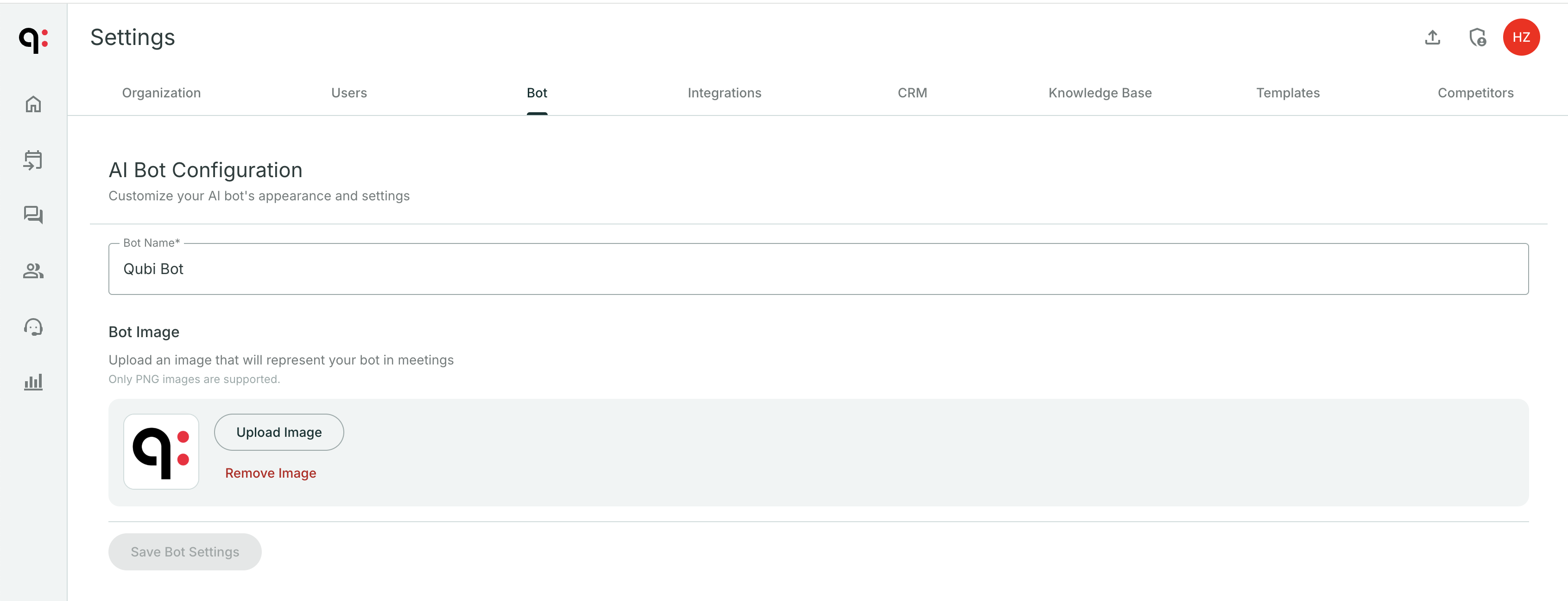
In Settings > Bot, you can configure:
- Avatar: Choose a custom image for the Qubi bot that appears in meetings
- Display name: How the bot identifies itself when joining calls
Recording behavior
Control how the bot interacts with your meetings:
- Auto-join: Whether Qubi automatically joins all meetings or only meetings where it's explicitly invited
- Voice identification: Enable speaker recognition so Qubi can identify individual speakers more accurately
If your team uses Qubi externally (with prospects and customers), consider customizing the bot's avatar and name to match your brand. It creates a more professional impression.
Custom vocabulary
Transcription models mishear names they have never seen. Add your company name, products, competitors, acronyms, and internal jargon to Custom Vocabulary, and Qubi will write them your way in transcripts, summaries, and everything built on top of them.
Add a term
- Go to Settings > Bot
- Under Custom Vocabulary, type the term in Add Term (for example,
Qubi) - Press Enter or click Add. The term appears below the field.
- Click Save Bot Settings
To remove a term, click the × on it, then save.
Terms are sent to the transcriber exactly as you write them, capitalization included, so enter the spelling you want to read in the transcript.
Good terms to add
- Company, product, and competitor names
- Acronyms and internal jargon (
ARR,POC,MEDDPICC) - Names of people, teams, and tools your calls mention often
- Multi-word phrases, written the way they should appear
The vocabulary applies to every recording Qubi transcribes: bot meetings, recordings from the Qubi desktop app, and uploaded recordings.
Custom vocabulary applies to calls recorded after you save. Meetings you already recorded are not re-transcribed.
Add only terms Qubi actually gets wrong. A term that is also an everyday word can make Qubi hear it in unrelated speech, so add the spelling you have seen it miss rather than guessing. The vocabulary holds up to 100 terms.